Operations & automation
Operations & automation
A student information system for a school
One system for a school, from a student’s first enquiry to their paid invoice. It ran the school’s admissions, records and billing from 2023 to 2024.
Web system
- Client
- University
- Sector
- Higher education
- Year
- 2023–2024
- Role
- System architecture, design and full-stack development
02What changed
One record, instead of a paper trail.
The old way: an illustration · the new way: real screens, made-up records
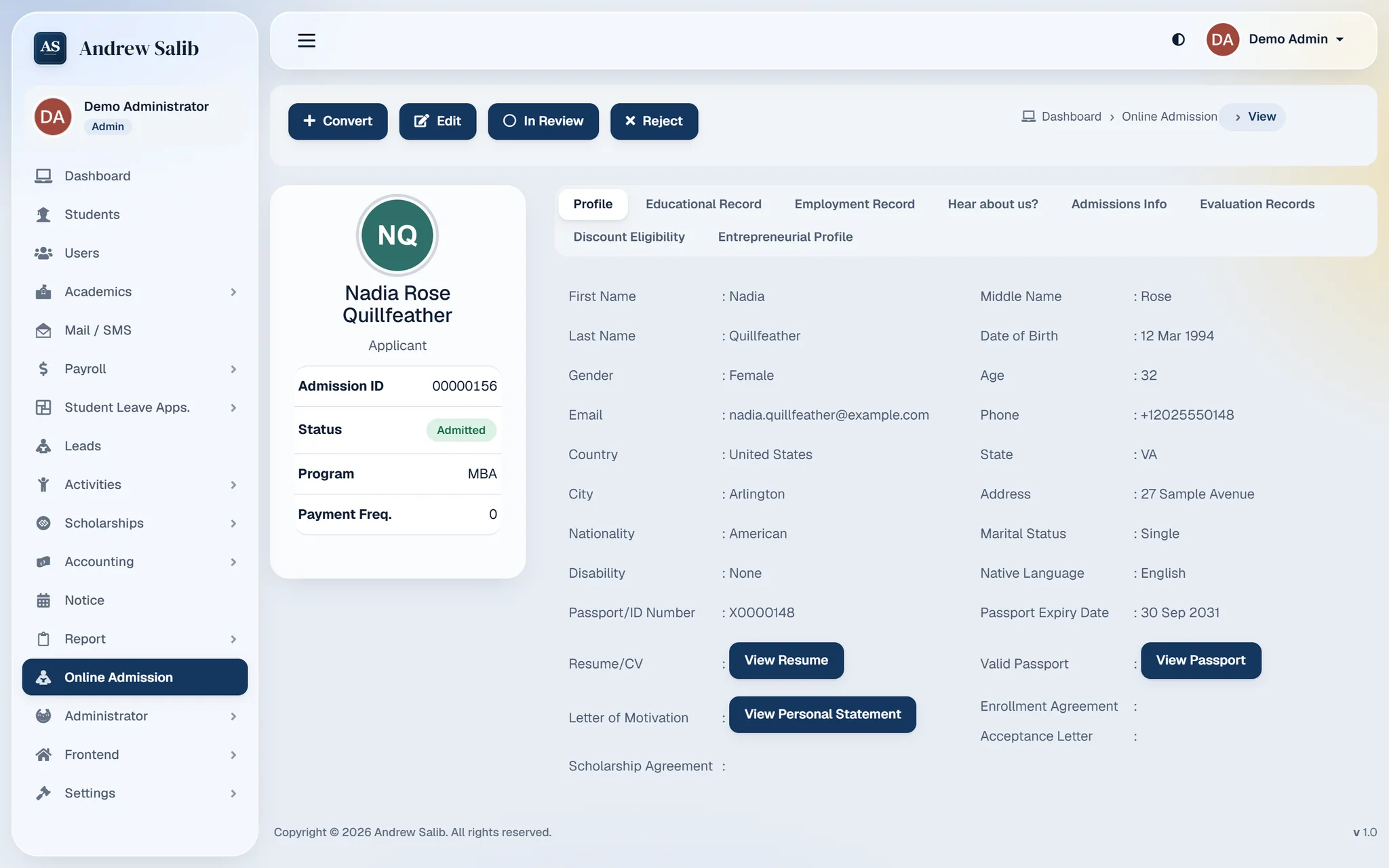
Before: Applicants kept on paper, notes and spreadsheetsNow: Every applicant in one record, from first call to decision
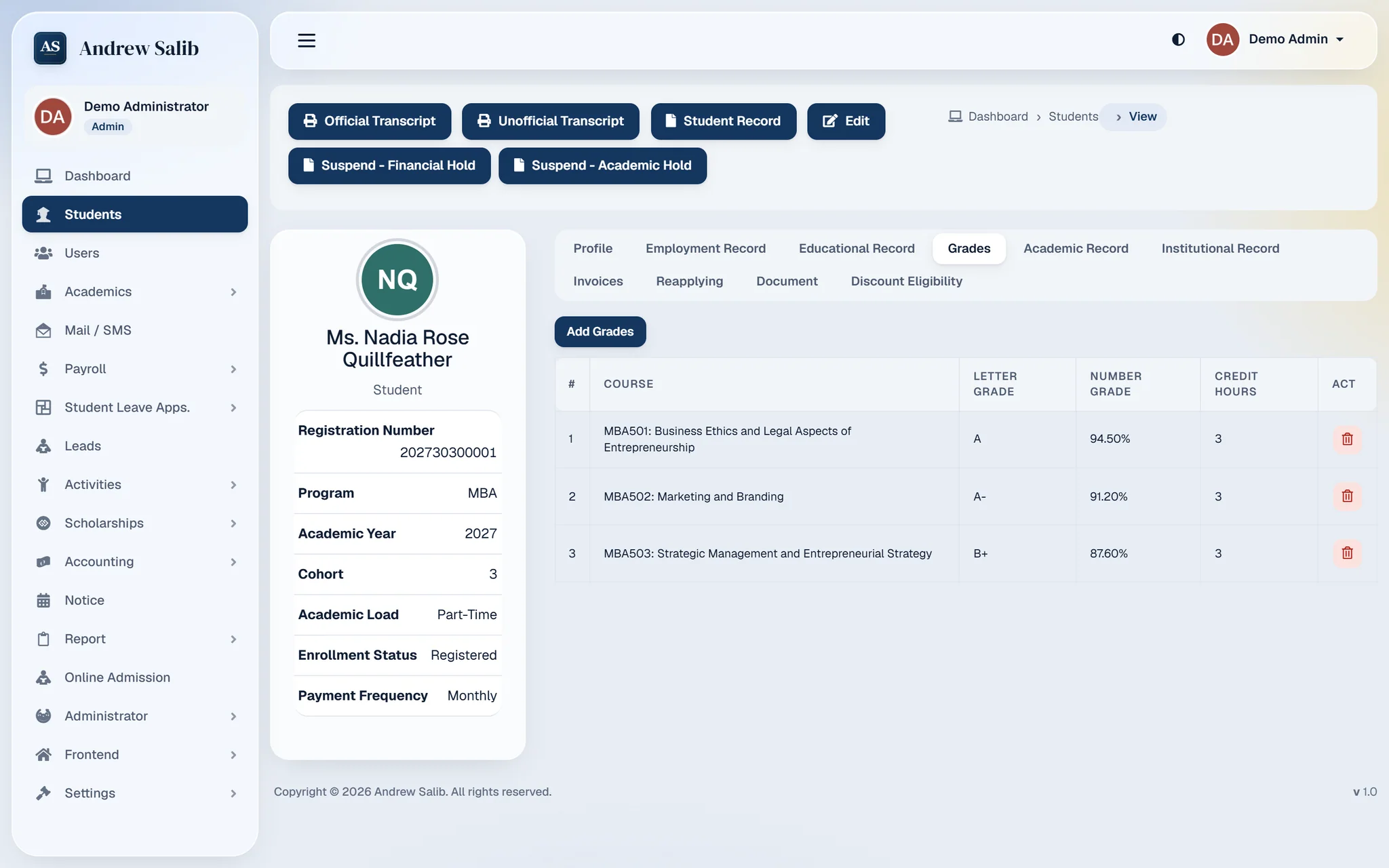
Before: Transcripts typed up by handNow: An official transcript, one button away
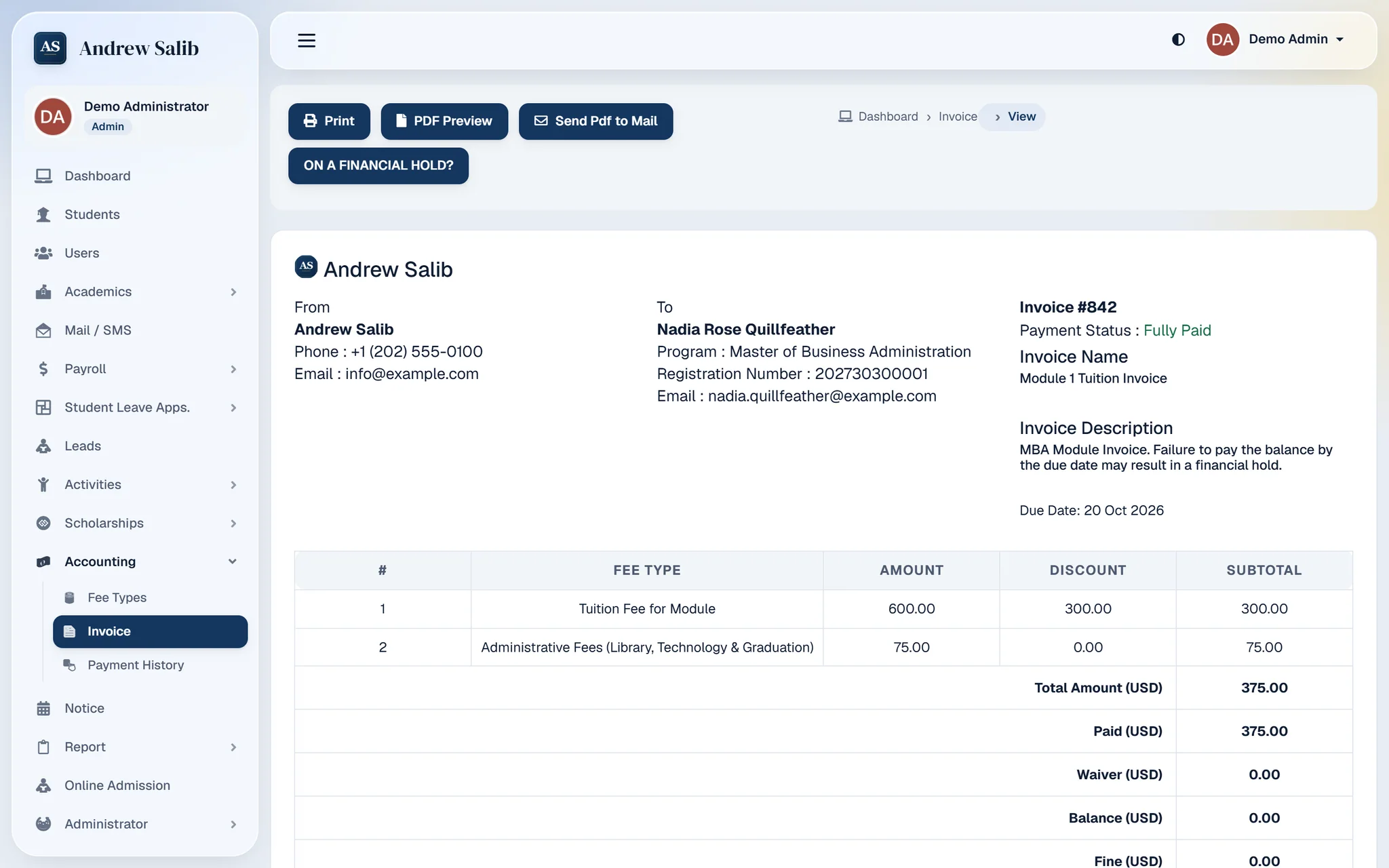
Before: A payment link made by hand for every invoiceNow: Invoices built from fee types, paid from the student’s account
03How it works
Follow one student.
Real screens from my demo copy · a made-up student
01·Enquiry
An ad brings in an enquiry.
Nadia asks about the MBA from an Instagram ad. She lands in the leads list with the ad, her recruiter and the next follow-up date. Recruiters set each call’s outcome from the list itself; hers ends at Applied.
02·Application
She applies online, documents and all.
One form takes her education, work, English and references, with her CV, passport and statement uploaded alongside. She’s emailed an Admission ID, and admissions gets an alert.
03·Admissions
Every application, at its stage.
Admissions sees each application at its stage: In Review, Interviewed, Admitted, Waitlisted. Nadia checks hers online with her Admission ID, instead of calling.
04·Interview
Scored the same way, every time.
Each interview is recorded criterion by criterion, from academic background to financial commitment, with comments and a final decision. Hers: Accepted.
05·Enrolment
Admitted, then enrolled from one form.
Convert opens a new student form already filled in from her application. One submit creates her student record and login, with the documents from her application on it.
06·Transcript
Grades in, transcript out.
Grades go onto her record, typed in or imported from Moodle each day. Her official transcript prints in the school’s format from one button on the record. This sample copy is watermarked.
07·Invoice
Invoiced, then paid.
Her module invoice is built from the school’s fee types, with her 50% scholarship off the tuition, and she’s emailed a link to it. She pays by card from her student account, or accounting records a cheque, and it shows Fully Paid.
04Everything it covers
Everything in the system.
36 features · 6 areas
Recruiting04
Lead pipeline
Every enquiry with its source, ad, recruiter and next follow-up date.
Call outcomes
Set from the list: no answer, will call back, interested, applied.
Notes on each lead
A comment thread the whole team can follow.
Leads from ads
Ad form leads arrive in the list on their own; walk-ins and calls are added by hand.
Applying07
Online application
Education, work, English and references in one form.
Documents with it
CV, transcripts, diplomas, passport and statement, uploaded with the form.
Confirmations
An email with an Admission ID for the applicant, and an alert for admissions.
Status check
Applicants see their own stage online, with their Admission ID.
Scholarship applications
Need-based, merit and social-impact forms, each with its documents.
Other routes
Separate forms for special admission and audit applicants.
Intake switch
Admissions opens or closes applications with one setting.
Admissions06
Stages
New, In Review, Interviewed, Admitted, Waitlisted, Deferred and more.
Interview scorecard
Criterion by criterion, with comments and a final decision.
Scholarship candidates
Each candidate’s programme, scholarship type, amount and status.
Discount eligibility
A discount type and rate per applicant, carried onto the student record.
Enrol from the application
A new student form filled in from the application; one submit creates the record and login.
Admissions report
By programme, country and cohort, to print, save as PDF or email.
Student records07
One file per student
Employment, education, grades, invoices, documents and more, in tabs.
Enrolment status
Registered, graduated, on leave, withdrawn or suspended.
Holds
An academic or financial hold emails the student and tells staff.
Grades
Typed in, or imported from Moodle every day.
Transcripts
Official and unofficial, printed in the school’s format.
Reports and certificates
Student and grade reports, ID cards and certificates from templates.
Bulk import
Students, staff and users loaded from spreadsheets.
Billing06
Invoices from fee types
Built from the school’s standard fees, with discounts per line.
Invoice emails
The student is emailed the invoice, its due date and a link to it.
Card payments
Paid by card through Stripe, with refunds.
Cash and cheques
Recorded alongside card payments, in one history.
Financial holds
Accounting puts an invoice on hold, or releases it.
Finance reports
Fees collected, dues, balances, the ledger and fines.
Students and staff06
Student accounts
Students sign in to pay invoices, see their grades and ask for leave.
Leave requests
Asked for online, approved by staff, with a report.
Email and SMS
Messages to groups of students or staff, from templates.
Roles per office
Admissions, registrar, accounting and the dean each see their own.
Sponsors
A register of sponsors, and a report of who they sponsor.
Website pages
Staff edit the public site’s pages and menu themselves.
05Next project
Contact